Creating a home workspace that is both relaxing and productive can significantly improve your work-from-home experience. With a well-thought-out environment, you can stay focused while also maintaining a sense of calm throughout your day. Whether you’re setting up a dedicated office or carving out a corner in your living space, these tips will help you design a space that supports your needs.
Why a Good Workspace Matters
A designated area for work helps your brain distinguish between “work time” and “rest time.” This separation can increase productivity, reduce stress, and improve your overall wellbeing. When your workspace is comfortable and organised, distractions decrease, allowing you to concentrate on your tasks more effectively.
Choosing the Right Location
Find a Quiet Spot
Look for a space in your home that experiences the fewest interruptions. A quiet corner or spare room can work well. Avoid high-traffic areas like the kitchen or living room if possible.
Consider Natural Light
Natural light not only brightens your space but also positively influences mood and energy levels. Position your desk near a window, if you can, but be careful to avoid glare on your computer screen.
Think About Privacy
If your home is busy, privacy might be an issue. Using room dividers or a privacy screen can help create visual boundaries, making it easier to focus and avoid distractions.
Invest in Comfortable Furniture
Ergonomic Chair
A good chair is essential to prevent back pain and maintain good posture. Look for one with adjustable height, lumbar support, and cushioning.
Appropriate Desk
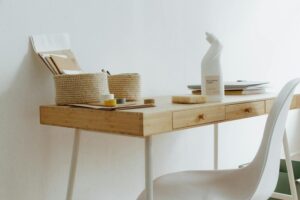
Choose a desk that fits your space and storage needs. If possible, consider a desk that allows you to alternate between sitting and standing, which can improve circulation and reduce fatigue.
Organise with Storage Solutions
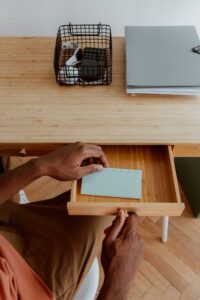
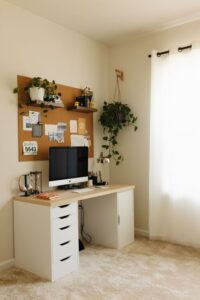
Keep your workspace tidy with shelves, drawers, or filing cabinets. A clutter-free environment minimises stress and helps you find what you need quickly.
Optimising Your Workspace Layout
Keep Essentials Within Reach
Arrange your most-used items close by to avoid unnecessary movement. This includes your computer, notebook, pens, and phone.
Cable Management
Tidy cables not only look better but also reduce the risk of accidents. Use clips, ties, or trays to keep cords organised.
Personal Touches
Add a few personal items such as plants, photos, or artwork. These can boost your mood and make the space feel inviting without causing distractions.
Enhance Lighting
Use Layered Lighting
Combine natural light with task lighting like desk lamps and overhead lights to avoid eye strain and create a comfortable atmosphere.
Choose Warm Light Bulbs
Bulbs that produce warm light are less harsh and can contribute to a relaxing environment.
Minimise Noise and Distractions
Use Noise-Cancelling Headphones
If noise is unavoidable, headphones can help block out background sounds.
Soundproofing
Simple measures like heavy curtains, rugs, or wall hangings can improve acoustics and reduce echo.
Set Boundaries
Communicate with family or housemates about your work hours to minimise interruptions.
Manage Technology Wisely
Reliable Internet Connection
A stable internet connection is crucial, especially for remote meetings and online tasks.
Efficient Equipment
Keep your hardware up to date to avoid frustrating slowdowns. Accessories such as an external keyboard or mouse can enhance comfort.
Digital Organisation
Use apps and tools to manage your tasks and deadlines. Keeping your digital workspace organised is just as important as your physical one.
Incorporate Break Areas and Movement
Designate a Break Space
If possible, have a spot separate from your desk where you can take short breaks. This helps your brain rest and resets your focus.
Stretch and Move Regularly
Incorporate simple stretches or short walks into your routine to reduce tension and refresh your mind.
Maintain Good Air Quality
Ventilation
Ensure your workspace is well-ventilated to keep air fresh and reduce fatigue.
Add Plants
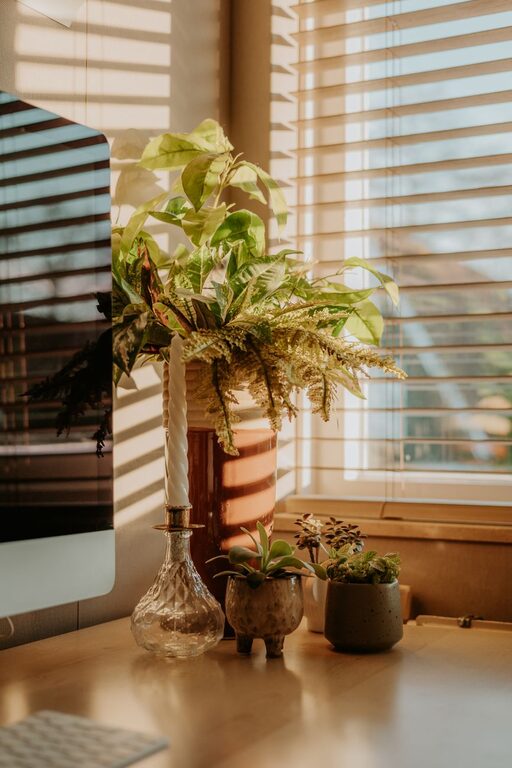
Indoor plants can improve air quality and add a calming touch of nature.
Keep Your Workspace Clean
Regular cleaning prevents dust build-up and maintains a pleasant environment. A clean space can enhance your focus and reduce allergies or irritations.
Conclusion
Designing a home workspace that is both relaxing and productive involves thoughtful planning and attention to detail. By choosing the right location, investing in comfortable furniture, organising your space efficiently, managing lighting and noise, and incorporating healthy habits, you can create an environment that supports your work and wellbeing. Remember, small changes can make a significant difference in your daily productivity and overall happiness.