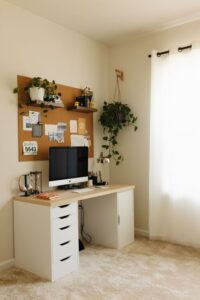
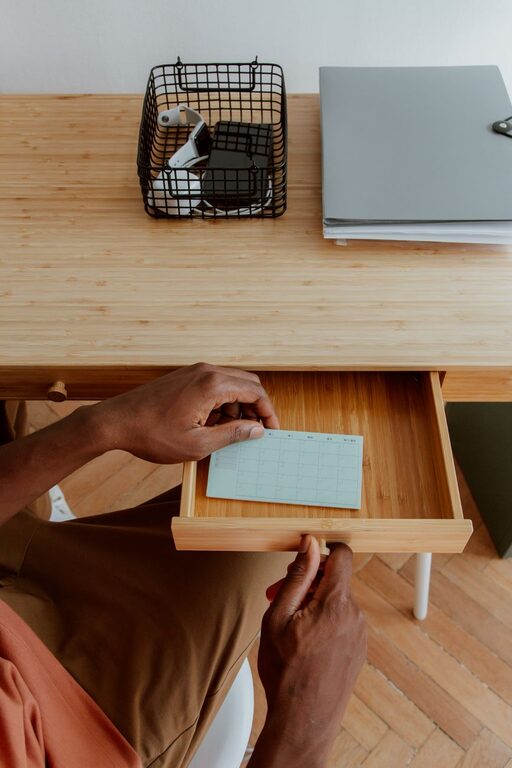
Creating a clutter-free home office space is essential for maintaining focus and boosting productivity. A well-organised workspace can reduce stress, save time, and make working from home a more enjoyable experience. Whether you have a dedicated room or a small corner, simple organisation tips can transform your area into a neat, inviting environment.
Why Organising Your Home Office Matters
When your workspace is cluttered, distractions multiply, and it becomes harder to find what you need. This can affect your efficiency and motivation. Organising your home office helps you maintain clarity and control over your tasks and materials.
Start with Decluttering
Before organising, take time to declutter. Here’s how to begin:
– Clear your desk: Remove everything from your desk surface and sort items into categories: keep, relocate, or recycle.
– Sort paperwork: Go through documents and get rid of anything outdated or unnecessary. Use a shredder for confidential papers.
– Evaluate office supplies: Discard dried-up pens, broken staples, or duplicate items you don’t need.
Decluttering creates a fresh canvas to organise your space efficiently.
Choose Functional Storage Solutions
Having the right storage can drastically reduce clutter. Consider these options:
– Desk organisers: Use trays, pen holders, and small drawers to keep essentials within reach.
– Filing systems: Invest in a filing cabinet or portable file boxes to keep papers sorted and accessible.
– Shelving units: Wall-mounted shelves save floor space and provide room for books, reference materials, or decorative items.
– Storage boxes: Labelled boxes or baskets work well for storing cables, chargers, and other miscellaneous items.
Choosing storage solutions that suit your space and style encourages daily tidiness.
Create Zones for Different Tasks
Organise your office by dividing it into zones. For example:
– Work zone: Your desk and computer area.
– Reference zone: Shelves or filing systems for documents and books.
– Supply zone: Organisers or drawers containing stationery and tools.
Having designated zones helps you find items quickly and keeps your workflow smooth.
Keep Cables Neat and Tidy
Messy cables are a common source of clutter. You can:
– Use cable clips or ties to bundle cables.
– Label cables to identify devices easily.
– Consider wireless options when possible.
A tidy cable setup not only looks better but also reduces trip hazards and technical hassle.
Personalise Without Overcrowding
A few personal touches can make your home office more inviting without causing clutter. Choose a small plant, a framed photo, or inspiring artwork. Keep decorations minimal to avoid distraction.
Maintain Your Organised Space
Good organisation is an ongoing process:
– Daily reset: Take five minutes at the end of each day to tidy your desk.
– Weekly review: Check your filing system and supplies to keep everything orderly.
– Seasonal purge: Every few months, reassess what you need and remove unused items.
Consistent maintenance prevents clutter buildup over time.
Use Digital Tools to Minimise Paper
Reduce physical clutter by using digital tools:
– Store documents in the cloud.
– Use note-taking and calendar apps.
– Scan paper documents that you want to keep.
Digital organisation complements your physical space and streamlines your work.
Optimise Lighting and Ergonomics
While not directly related to clutter, good lighting and a comfortable setup enhance your workspace. Use natural light where possible and invest in an adjustable chair and desk to promote good posture.
—
By following these simple tips, you can transform your home office into a clutter-free, functional, and inspiring place to work. A tidy environment fosters creativity and efficiency, helping you enjoy your work-from-home experience to the fullest.